
Disclosure: This article may contain affiliate links. If you purchase through these links, Respawnerz may earn a commission at no additional cost to you. These commissions help support the site and our editorial work.
Getting a streaming setup right in India has always been a question of what's actually available to buy, not just what YouTube reviewers in the US are recommending. That's where most buying guides fall apart. They recommend gear that either doesn't ship to India, shows up on Amazon.in at import prices twice the listed cost, or has no official warranty support if something goes wrong.
This guide stays focused on what's currently listed on Amazon.in, covers every essential category for a complete setup, and picks products that actually make sense for Indian streamers in 2026. Whether you're starting from scratch or filling specific gaps in an existing rig, every product below has a direct link to its Amazon India listing.
Five categories. Best picks for each. Here's what to buy.
Best Webcams for Streaming
Your webcam is how your audience sees you. A bad one shows up immediately: soft focus, noise in low light, colour that looks nothing like real life. The good news is that the two options below cover every realistic price point on Amazon India without any of those problems.
1. Logitech C922 Pro Stream Webcam
The C922 is the streaming-specific upgrade over the C920. The key difference is frame rate: the C922 can shoot 720p at 60fps, which matters for fast-moving streams where smooth motion is more valuable than raw resolution. It also supports background removal in Logitech's Capture software, which is useful if you don't have a green screen but still want a clean look. For streamers who spend a lot of time on camera and want that extra bit of production polish, the C922 is worth the step up from the C920.
View on Amazon.in: Logitech C922 Pro Stream Webcam
2. Logitech Brio 100 Full HD Webcam
The Brio 100 is the entry point for anyone who wants a clean Logitech webcam without spending too much. It shoots 1080p, includes auto light balance for rooms with inconsistent lighting, has a built-in mic, and comes with a physical privacy shutter. For streamers on a tighter budget who don't need 60fps or background removal, the Brio 100 gets the job done cleanly and without fuss. It's also one of the better options if you do a lot of video calls alongside streaming, since the auto-framing and light correction make a visible difference on platforms like Zoom and Teams.
View on Amazon.in: Logitech Brio 100 Full HD Webcam
Best USB Microphones for Streaming
Audio is the part of your stream that viewers tolerate worst when it's bad. A slightly soft webcam image won't end a stream. Crackly audio, heavy room echo, or a mic that picks up every ceiling fan in the building will. All three options below are plug-and-play USB, which means no audio interface, no drivers, no setup headaches.
1. HyperX QuadCast 2 S
The QuadCast 2 S is the best streaming microphone currently available on Amazon.in for dedicated streamers. It records at 32-bit depth and 192kHz sampling rate, which is significantly higher than most USB mics in this category. It has over 100 aRGB LEDs for the kind of visual setup integration that streaming audiences notice, connects via USB-C, and works across PC, Mac, and PS4/PS5 natively. The tap-to-mute function on the top of the mic is responsive and reliable, which is the kind of practical feature that matters a lot during live streams. If you want a professional-grade mic that also looks good on camera, this is the pick.
View on Amazon.in: HyperX QuadCast 2 S
2. Blue Yeti USB Microphone
The Blue Yeti remains the most recognisable streaming mic on the market, and it's available on Amazon.in with full official listing. It offers four polar pattern modes (cardioid, stereo, omnidirectional, bidirectional) plus Blue's VO!CE effects software for live vocal processing. The Yeti's cardioid mode handles the standard single-streamer setup well, and the stereo mode is worth having if you ever do co-streams or podcast-style content with a guest sitting nearby. The adjustable desktop stand is included and actually useful rather than feeling like an afterthought. Note: some Indian buyers have reported audio quality variation between units, so buy from a fulfilled-by-Amazon listing for cleaner warranty support.
View on Amazon.in: Blue Yeti USB Microphone
3. Razer Seiren V3 Mini USB Microphone
The Seiren V3 Mini is the compact option for streamers who don't want a large mic dominating their frame. It uses a supercardioid pickup pattern, which is tighter than standard cardioid and does a better job rejecting off-axis noise like mechanical keyboards, fans, and room echo. There's a tap-to-mute sensor on top with an LED indicator, and the shock absorber built into the base handles desk vibrations without needing a separate arm. If desk space is a constraint or you want something that looks clean without being the centrepiece of the shot, the Seiren V3 Mini is the move.
View on Amazon.in: Razer Seiren V3 Mini
Best Capture Cards for Streaming
If you're streaming a PS5, Xbox Series X, or Nintendo Switch, you need a capture card. The built-in share features on consoles are fine for clips, but for a proper live stream to Twitch or YouTube with OBS, a dedicated card is the only way to get reliable 1080p60 output. These three are the best options currently available on Amazon.in.
1. Elgato HD60 X
The HD60 X is the card that replaced the ageing HD60 S as Elgato's workhorse external capture card, and it's the default pick for console streamers in India in 2026. It captures at 1080p60 HDR10 and handles 4K30 capture if you need it. More importantly, the passthrough supports 4K30 HDR as well, meaning your TV or monitor still shows the full-resolution output from your console while the card sends a 1080p60 stream to OBS on your PC. Ultra-low latency technology means the preview in your streaming software stays usable. Compatible with PS5, PS4 Pro, Xbox Series X and S, and Xbox One X out of the box, and it works with Mac as well as PC.
View on Amazon.in: Elgato HD60 X
2. Elgato Game Capture HD60 S
The HD60 S is a step below the HD60 X but still a solid card at a lower price point if you're on a tighter budget. It does 1080p60 capture with lag-free HDMI passthrough and connects over USB 3.0. It lacks the 4K HDR capabilities of the newer HD60 X, but for streamers running at 1080p who just need reliable console capture without spending extra, the HD60 S remains a competent option. Elgato's 4K Capture Utility and OBS integration work the same way across both cards, so there's no software learning curve if you upgrade later.
View on Amazon.in: Elgato Game Capture HD60 S
3. AVerMedia Live Gamer Mini GC311
The GC311 is the best-value capture card on Amazon.in for Indian streamers watching their budget. At a lower price than either Elgato option, it does 1080p60 capture, 4K30 passthrough, and includes an onboard H.264 hardware encoder that offloads some of the encoding work from your streaming PC. That last point matters if your PC isn't the newest: a hardware encoder on the card means your CPU has more room to breathe while you're live. AVerMedia's RECentral software is included, but the card works just as well in OBS without it. Compatible with PS5, Xbox Series X, Nintendo Switch, and secondary PCs.
View on Amazon.in: AVerMedia Live Gamer Mini GC311
Best Panel Light for Streaming
Good lighting does more for your on-camera appearance than any webcam upgrade can. An even, front-facing light source eliminates harsh shadows, lifts the overall image quality, and makes cheap webcams look better than they have any right to. You don't need to spend a lot here. One solid panel light changes the whole look of a stream.
Best Pick: Digitek DPL 011 is a 40W LED Panel Light
The Digitek DPL 011 is a 40W LED panel light with 240 LEDs and full bi-colour temperature control from 2700K to 6500K, so you can dial in anything from warm studio tones to crisp daylight depending on your room. Brightness is dimmable from 0 to 100 percent, and the included remote lets you adjust both without reaching for the light itself, which matters when you're already live. It runs on AC power so there's no battery to charge or replace mid-stream. Compact enough to sit on a desk or mount on a stand, and at 40W it puts out enough output to properly light a single streamer setup without washing out the background. A solid panel option for anyone who wants more coverage than a ring light provides.
View on Amazon.in: Digitek DRL-12C LED Ring Light
Best Stream Deck for Streaming
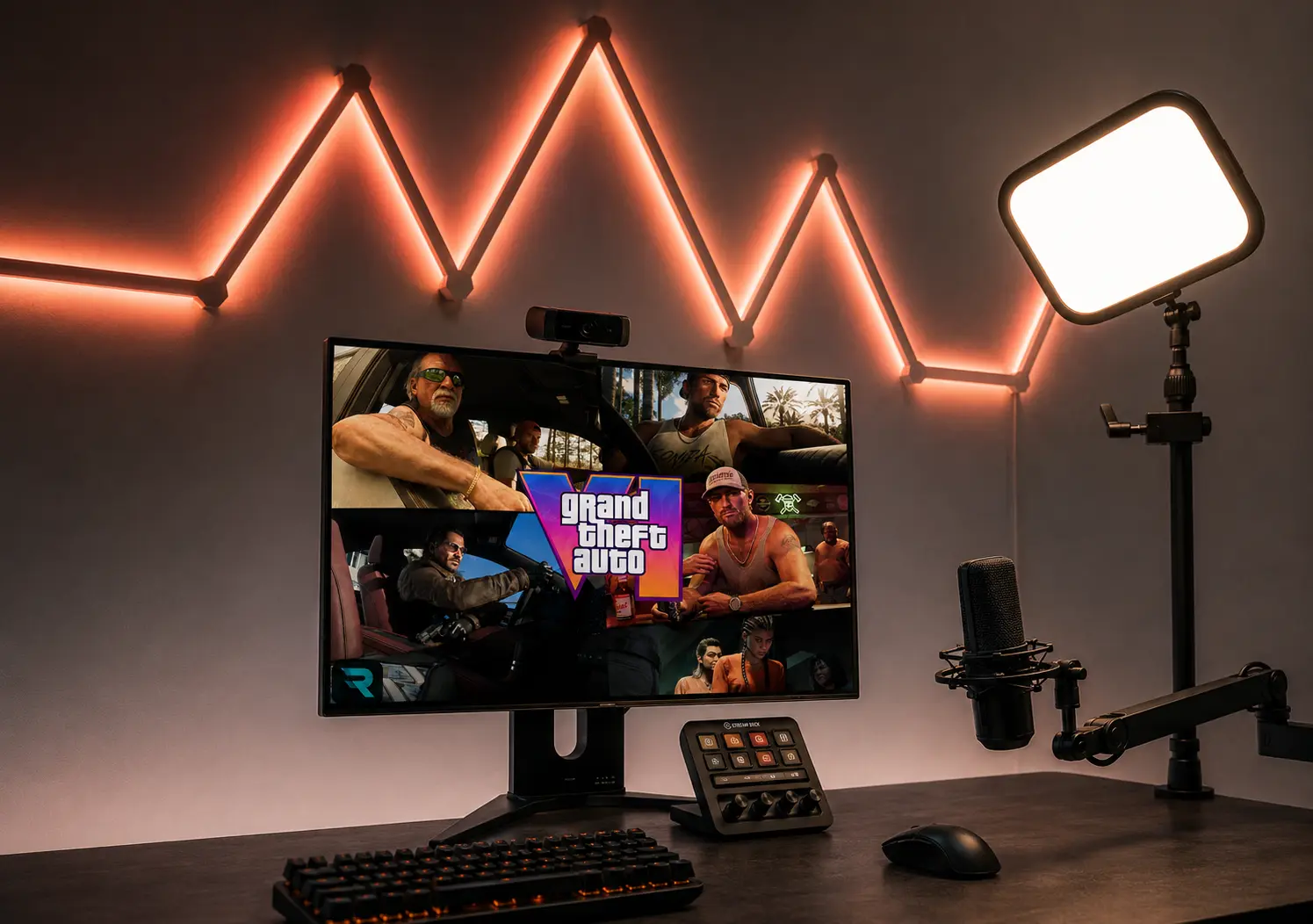
A Stream Deck isn't a requirement to start streaming, but once you've used one it's difficult to go back. Switching scenes, muting your mic, triggering alerts, starting and stopping recordings, launching clips: all of that goes from keyboard shortcuts you have to memorise to physical buttons you can tap without looking. Elgato's Stream Deck line is available on Amazon.in across three tiers.
Best Pick: Elgato Stream Deck MK.2
The MK.2 is the right Stream Deck for most streamers. It has 15 customisable LCD keys, a detachable USB-C cable, and a fully adjustable stand that works both on a desk and mounted in a wider setup. The Stream Deck software integrates with OBS, Streamlabs, Twitch, YouTube, and over 200 plugins from the Elgato Marketplace, covering everything from scene switching to Philips Hue lighting control. 15 keys is enough for a full streaming workflow including scenes, audio sources, stream controls, alert triggers, and social media actions without needing to go into folders. It's also the mid-point in the Elgato range, which means it has all the core functionality without the premium price of the XL or the limited key count of the Neo.
View on Amazon.in: Elgato Stream Deck MK.2
If you want fewer keys at a lower entry point, the Stream Deck Neo with 8 keys is also available on Amazon.in. For power users who want 32 keys and a wider workflow surface, the Stream Deck XL is the upgrade. Both are in the Elgato lineup on Amazon.in, though stock levels vary.
What Order Should You Build This Setup In?
If you're building from scratch, don't try to buy everything at once. Prioritise in this order: microphone first, then lighting, then webcam, then capture card (only if you're doing console streaming), then Stream Deck. Audio is the one thing viewers will leave over immediately. Lighting is the one thing that makes the biggest visible difference for the least money. The webcam matters, but your mic and light will make a cheap webcam look and sound better than a good webcam in a dark room with no audio treatment.
The capture card only applies if you're streaming a console. PC streamers using desktop or laptop gameplay don't need one at all. And the Stream Deck is the last thing to add, once your workflow is established and you know which actions you want to trigger repeatedly.
Every product listed above ships from Amazon.in. Check each listing for current pricing and stock availability before ordering, as prices on Amazon India can shift week to week.
Frequently Asked Questions
Do I need a capture card if I stream PC games?
No. Capture cards are only needed when streaming from a separate console like PS5 or Xbox Series X. PC streamers can run OBS or Streamlabs directly on the gaming PC and capture gameplay without any additional hardware.
Is the Logitech C920 still worth buying in 2026?
Yes. The C920 is an older design but its image quality, autofocus reliability, and low-light performance still hold up well for 1080p streaming. It remains one of the most recommended streaming webcams on Amazon.in for a reason.
Which is better for streaming, the Blue Yeti or HyperX QuadCast 2 S?
Both are strong picks. The QuadCast 2 S has higher sample rate specs and better RGB integration. The Blue Yeti has more polar pattern flexibility and a larger install base with more support resources. Either works well for solo streaming; the Yeti has a slight edge for multi-person setups due to its stereo and bidirectional modes.
What is the best budget streaming setup on Amazon.in?
Start with the Logitech Brio 100 webcam, the Razer Seiren V3 Mini mic, and the Digitek DRL-12C ring light. That combination covers video, audio, and lighting without requiring a large upfront spend, and every piece is available on Amazon.in with standard fulfillment.
Does the Elgato Stream Deck MK.2 work with OBS on PC?
Yes. The Stream Deck MK.2 integrates directly with OBS Studio via the Elgato Marketplace plugin, allowing you to switch scenes, toggle sources, start and stop recordings, and control audio from the deck without touching your keyboard or mouse.